For states that use BioTrack for trace sales reporting, users will need to provide the UBI (Unified Business Identifier) for each license within the Track-and-Trace Credentials Required (API Key / UBI) case. By providing your UBI, the integration between Shield Compliance and BioTrack will provide the daily sales totals for your cannabis licenses.
BioTrack UBI
Logging into the State Traceability system is a global step that applies to all license types. In order to access your account, you will need to have your email, password and UBI #. Your UBI (Unified Business Identifier) is provided by your state agency.
- If you have not received this information, please contact your state agency for it.
- If you have received it, go to your State’s traceability website and click on the “Login” button for licensees.
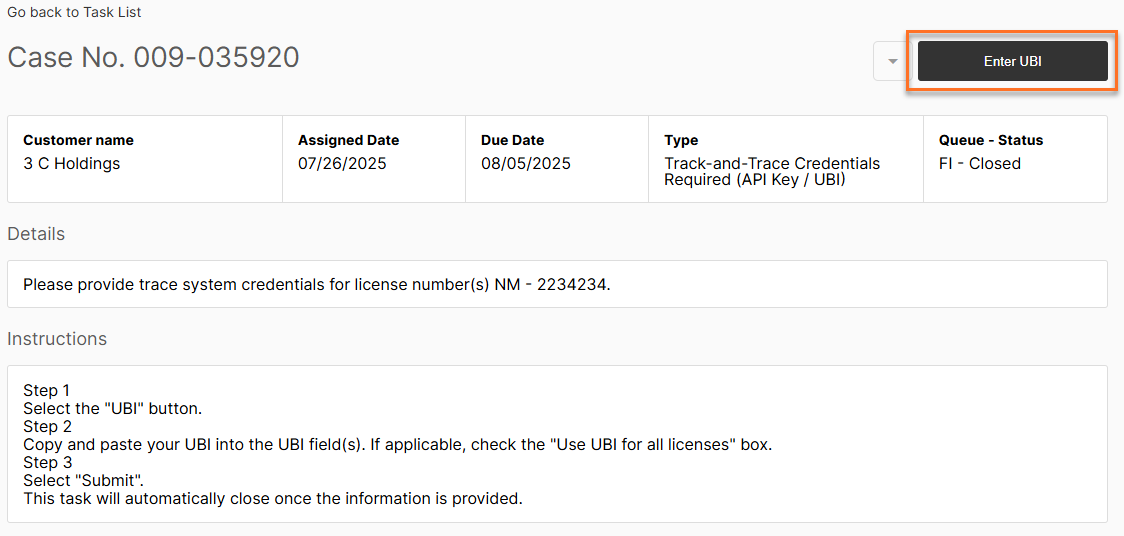
From your tasks, Open the Track-and-Trace Credentials Required (API Key / UBI) case and select Enter UBI.
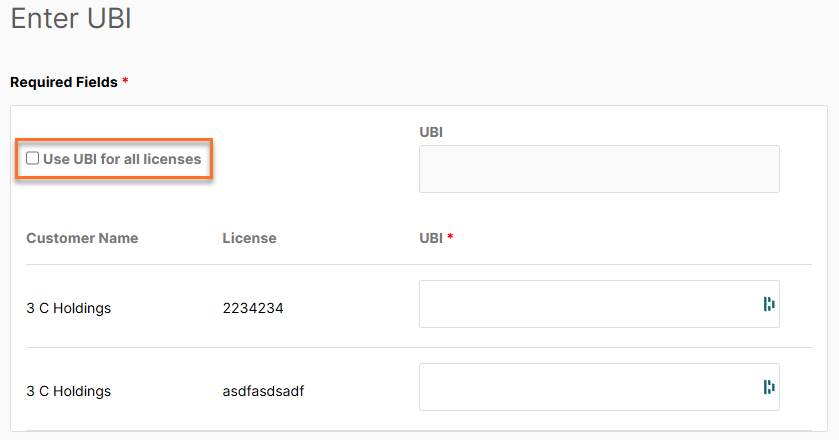
If the same UBI applies to all licenses associated with the client, select the Use UBI for all licenses checkbox. This enables the UBI field at the top of the page, where you can enter a single UBI for all licenses.
If each license has its own unique UBI, leave the checkbox unchecked and enter the appropriate UBI in the field corresponding to each individual license.
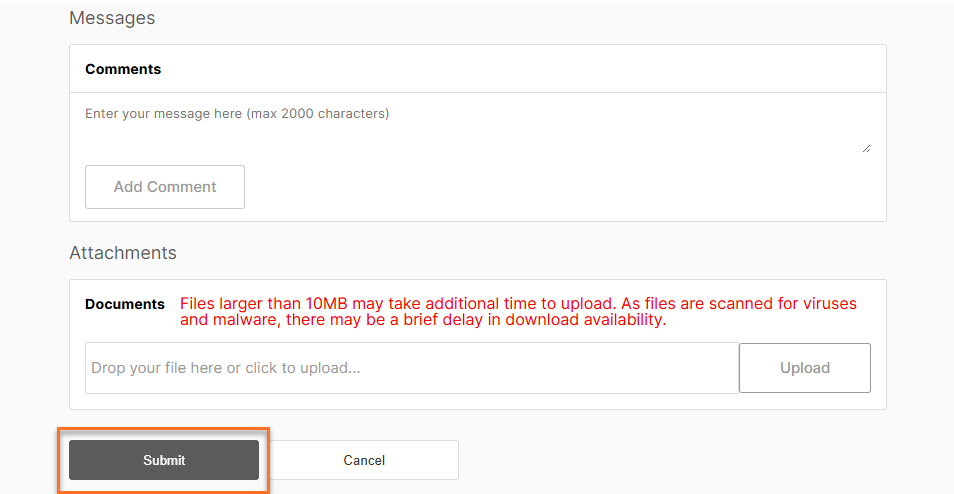
Once all API keys have been entered, select Submit at the bottom of the page.
Additional help resources from BioTrack:
https://help.biotrack.com/s/article/Your-State-Monitoring-Settings-and-Synchronization-C
https://help.biotrack.com/s/article/Logging-into-State-Traceability-T
Was this article helpful?
That’s Great!
Thank you for your feedback
Sorry! We couldn't be helpful
Thank you for your feedback
Feedback sent
We appreciate your effort and will try to fix the article